1. How to extract files from zipped folders online at 4shared?
2. How to unzip files online?
2. How to unzip files online?
How to extract files from zipped folders online at 4shared?
Just open a zipped file, likewise as you would do it with any other file at 4shared , and you will easily see its content.
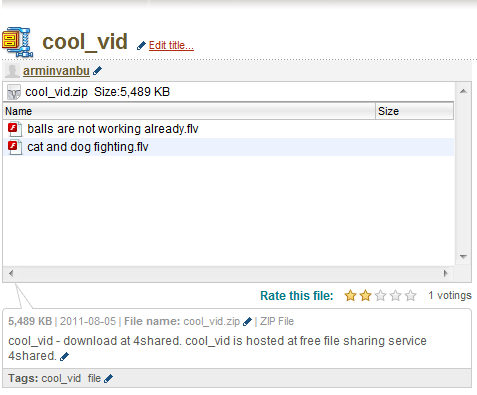
How to unzip files online?
Unzip files just clicking on them in the search list at 4shared. You can easily view the content of files in separate windows.
Kesaksian :

Jake, 22
“ I’ve always wanted to manage my time as much, as possible, especially working online. Different life-facilitating 4shared features, like direct downloading and preview of zip files are right for me. These features are awesome, don’t you think so?”
“ I’ve always wanted to manage my time as much, as possible, especially working online. Different life-facilitating 4shared features, like direct downloading and preview of zip files are right for me. These features are awesome, don’t you think so?”

Gregory, 43
“ It was annoying, when I had to download files just to view their content and then delete most of them, because they didn’t suit me. With 4shared, I can check, whether I need them and then download only those files, I really need.”
“ It was annoying, when I had to download files just to view their content and then delete most of them, because they didn’t suit me. With 4shared, I can check, whether I need them and then download only those files, I really need.”